> ## Documentation Index
> Fetch the complete documentation index at: https://docs.vaanivoice.ai/llms.txt
> Use this file to discover all available pages before exploring further.
# Post-Call Analysis
> Set up automated evaluation criteria, structured JSON data extraction, and executive call summaries
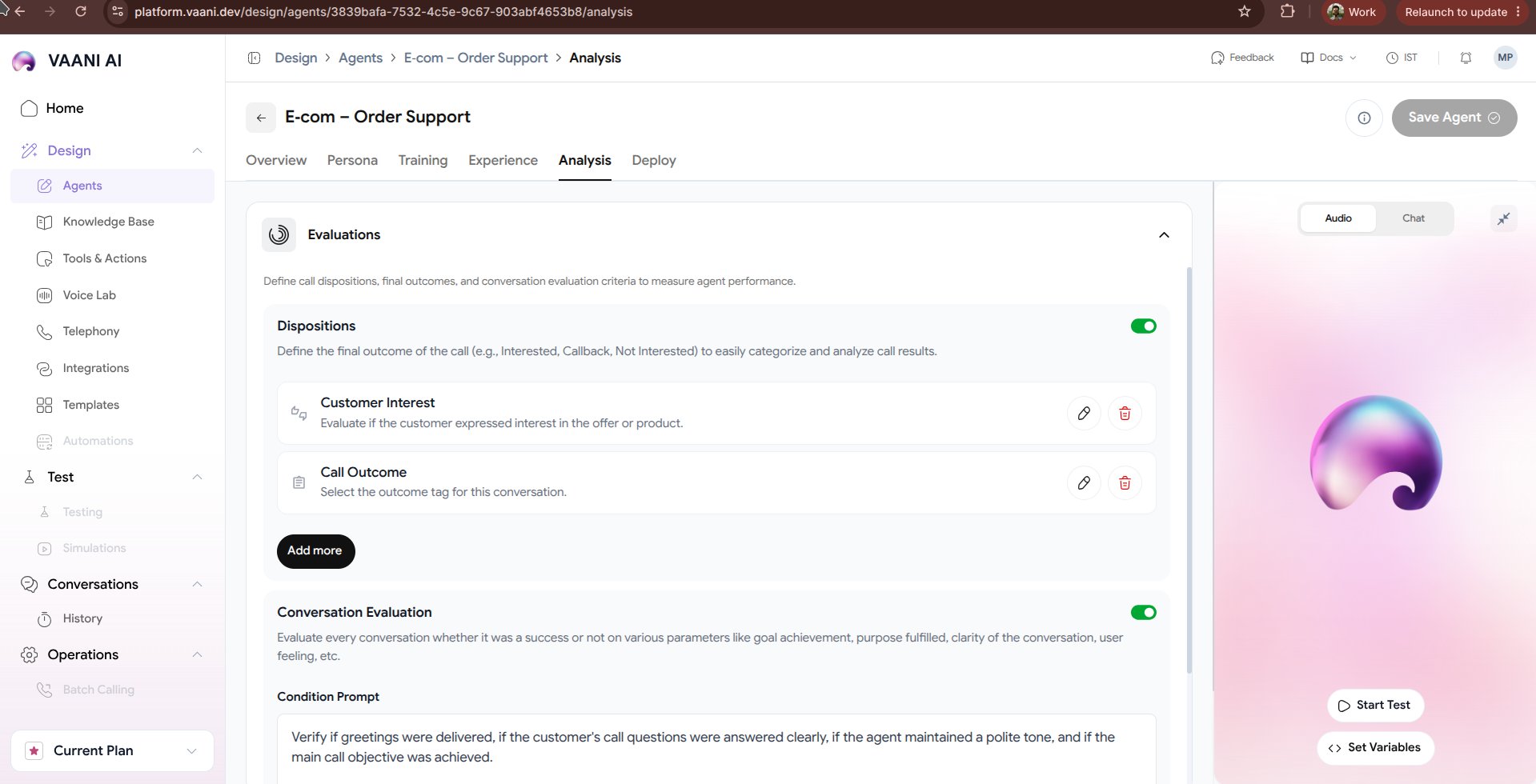
The **Analysis** tab defines what happens immediately after a voice call concludes. Vaani's post-call analytics pipeline automatically processes the full audio transcript, evaluates whether business goals were accomplished, extracts structured data fields, and pushes outcomes to your CRM or webhook endpoints.
 ## Video Walkthrough
***
## 1. Structured Data Extraction
Instead of requiring human agents to manually take notes after every call, Vaani automatically extracts key data points into structured JSON:
```json theme={null}
{
"lead_qualified": true,
"caller_name": "Priya Sharma",
"project_type": "3BHK Villa Renovation",
"budget_range_inr": "18,00,000",
"preferred_consultation_date": "2026-10-25",
"sentiment": "Positive",
"follow_up_required": true
}
```
### Defining Extraction Schemas
In the dashboard, specify the exact schema properties your downstream systems require:
| Field Name | Type | Description |
| - | - | - |
| `lead_qualified` | `boolean` | `true` if caller has budget > 10L and a valid property in Pune |
| `appointment_time` | `datetime` | Confirmed time slot in ISO 8601 format |
| `objection_raised` | `string` | Any hesitation mentioned (e.g., timeline, pricing) |
| `urgency_score` | `integer (1-5)` | How urgently the caller needs design services |
***
## 2. Evaluation Criteria & Quality Assurance (QA)
Define automated pass/fail rules to monitor compliance, agent performance, and conversational outcomes across thousands of calls:
Verify whether the agent explicitly informed the caller that the call was recorded (*Pass / Fail*).
Measure whether the agent successfully gathered all five qualification answers (*Score 0 - 100%*).
Classify caller sentiment into `Positive`, `Neutral`, or `Frustrated`.
Automatically flag calls where the caller asked for a supervisor or expressed anger.
***
## 3. Executive Summaries
Vaani automatically synthesizes a concise 2-3 sentence executive recap for every call:
> *"Caller Priya Sharma inquired about a full interior overhaul for a 3BHK in Kothrud with a budget of ₹18L. Agent answered design process questions, confirmed availability, and booked a preliminary consultation for Saturday, Oct 25 at 2:00 PM. High buying intent."*
***
## 4. Webhook Event Delivery
Once the analysis completes (typically within 3–5 seconds of call disconnect), Vaani dispatches a `call.analyzed` webhook payload to your registered endpoint:
```bash theme={null}
POST https://api.yourstudio.com/webhooks/vaani
Content-Type: application/json
{
"event": "call.analyzed",
"call_id": "call_98fbc231",
"agent_id": "8cf3373e-eb6f-4b4c-9f3c-324a56a91147",
"duration_seconds": 184,
"summary": "...",
"extracted_data": { ... },
"qa_score": 96
}
```
***
## Next Steps
Connect telephone numbers, embed web widgets, or trigger calls via API
Learn how to receive real-time call events and transcripts in your backend
This documentation is built and hosted on [Mintlify](https://mintlify.com), a developer documentation platform.