> ## Documentation Index
> Fetch the complete documentation index at: https://docs.vaanivoice.ai/llms.txt
> Use this file to discover all available pages before exploring further.
# Configure Persona
> Fine-tune system prompts, STT speech engines, TTS vocal characteristics, and pronunciation dictionaries
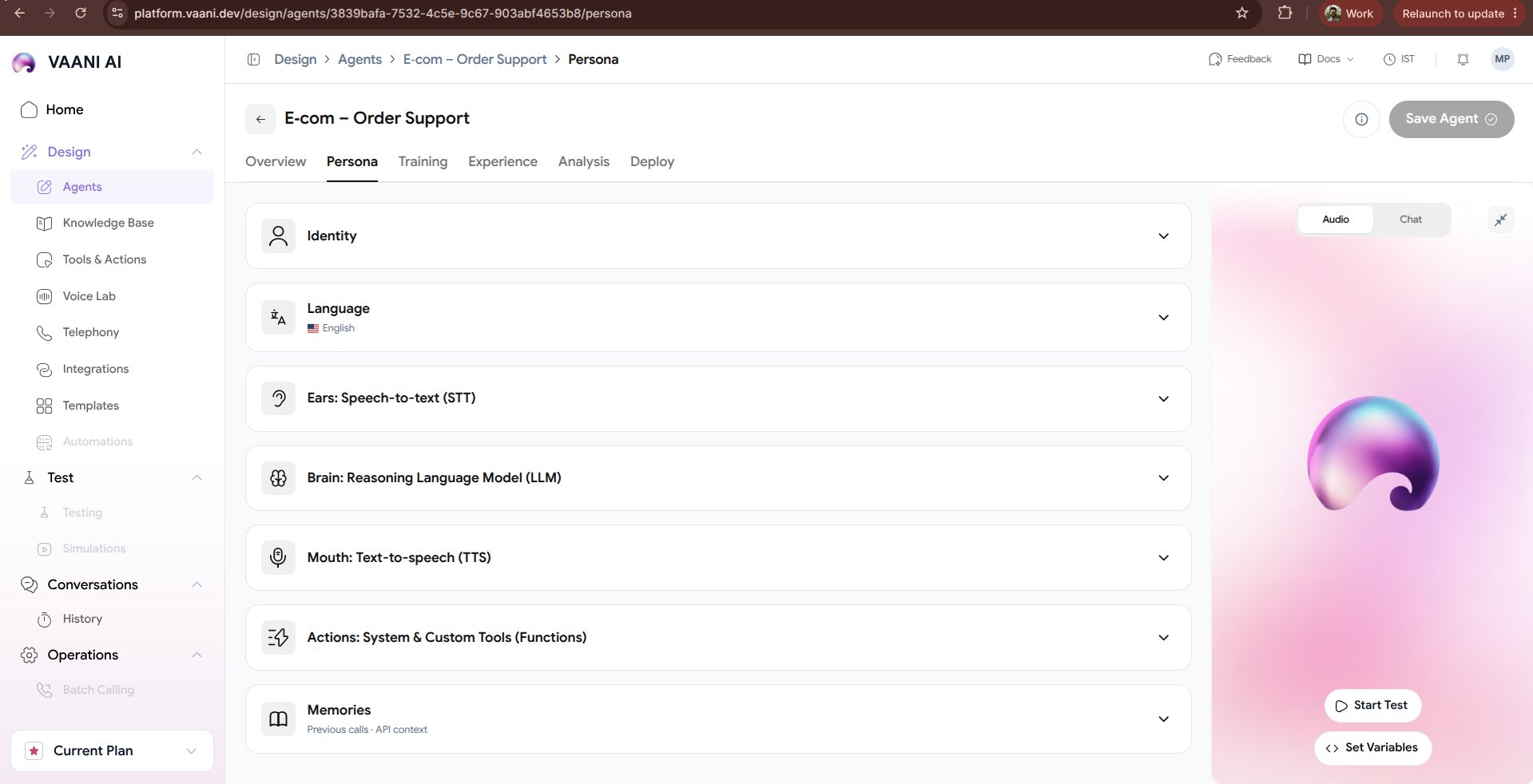
The **Persona** tab allows you to configure your agent's character, vocal expression, and linguistic capabilities. Here you pair the brain (LLM) with ultra-low-latency hearing (STT) and expressive vocal speech engines (TTS).
 ## Video Walkthrough
***
## 1. Ears (Speech-to-Text / STT)
The STT engine determines how accurately and quickly your agent hears caller speech over cellular or VoIP telephone connections.
We recommend **Deepgram Nova-2** for real-time conversational telephony:
* **Latency**: Sub-200ms streaming transcription.
* **Acoustic Robustness**: Handles background traffic, static, and speakerphone echoes gracefully.
* **Multilingual Support**: Supports Indian English, Hindi, and regional dialects.
Configure **AssemblyAI** or **Whisper** as a secondary fallback:
* If the primary provider experiences network degradation or downtime, Vaani switches automatically with zero dropped calls.
Improve recognition accuracy for hard-to-transcribe terms:
* Company names (e.g. *Aangan Studio*, *VaaniVoice*)
* Technical acronyms (e.g. *KYC*, *SIP*, *RTGS*, *VoIP*)
* Regional locations (e.g. *Kothrud*, *Hinjewadi*, *Bandra*)
***
## 2. Brain (Large Language Model)
Configure the intelligence engine driving conversational decisions:
| Parameter | Recommended Setting | Description |
| - | - | - |
| **Model** | `GPT-4o`, `Claude 3.5 Sonnet`, `Llama 3.3 70B` | Select the model architecture best suited to your task complexity |
| **Temperature** | `0.2` – `0.5` | Lower values ensure factual, consistent answers; higher values produce creative, relaxed dialog |
| **Max Tokens** | `80` – `150` | Limits turn length to prevent the agent from delivering unnaturally long monologues |
***
## 3. Mouth (Text-to-Speech / TTS)
Select the vocal personality that reflects your brand:
* **Sarvam Bulbul:v3**: Exceptional naturalness for Indian accents, Hindi, Marathi, Tamil, and Hinglish.
* **ElevenLabs Multilingual v2**: High-definition expressive emotional voices.
* **Deepgram Aura**: Ultra-low time-to-first-byte (TTFB) for lightning-fast turn-taking.
### Pronunciation Dictionaries
Synthetic voices occasionally mispronounce specialized words, brand names, or abbreviations. You can provide explicit phonetic respellings:
```json theme={null}
{
"Vaani": "VAA-nee",
"Aangan": "AAN-gun",
"Pune": "POO-nay",
"cURL": "see-url"
}
```
***
## 4. Voice Lab Integration
Want to test custom voice clones or audition different voice actors before assigning them to your agent? Head over to the [Voice Lab](/getting-started/voice-lab) to clone your own voice or audition pre-licensed voice actors.
***
## Next Steps
Ground your persona with company documents, FAQs, and API tools
Configure ambient sound, interruption sensitivity, and speech delays
This documentation is built and hosted on [Mintlify](https://mintlify.com), a developer documentation platform.