> ## Documentation Index
> Fetch the complete documentation index at: https://docs.vaanivoice.ai/llms.txt
> Use this file to discover all available pages before exploring further.
# Call Logs & History
> Browse, filter, and download your call history
## Viewing Call History in the Dashboard
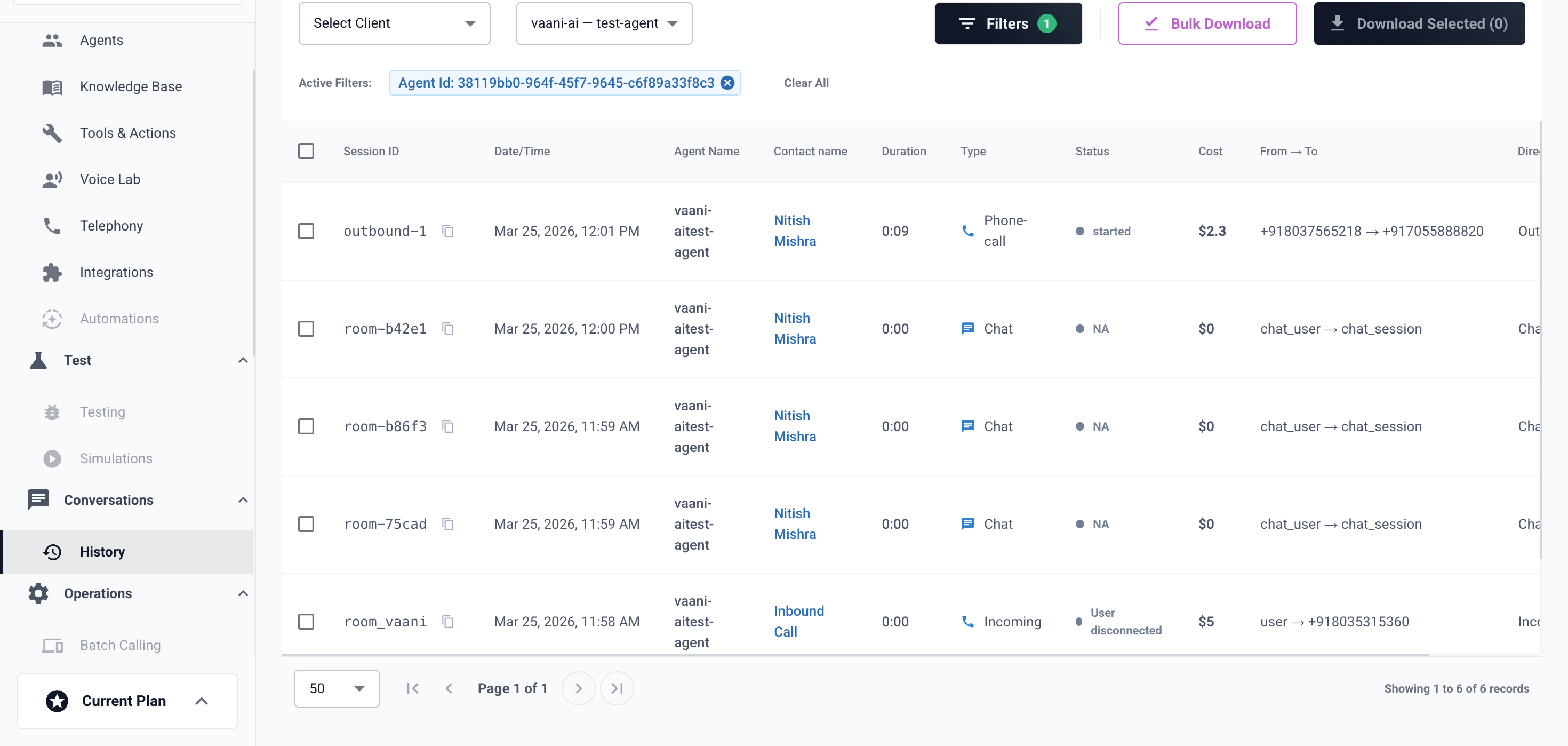
Navigate to **Call History** in the sidebar to see all past calls.
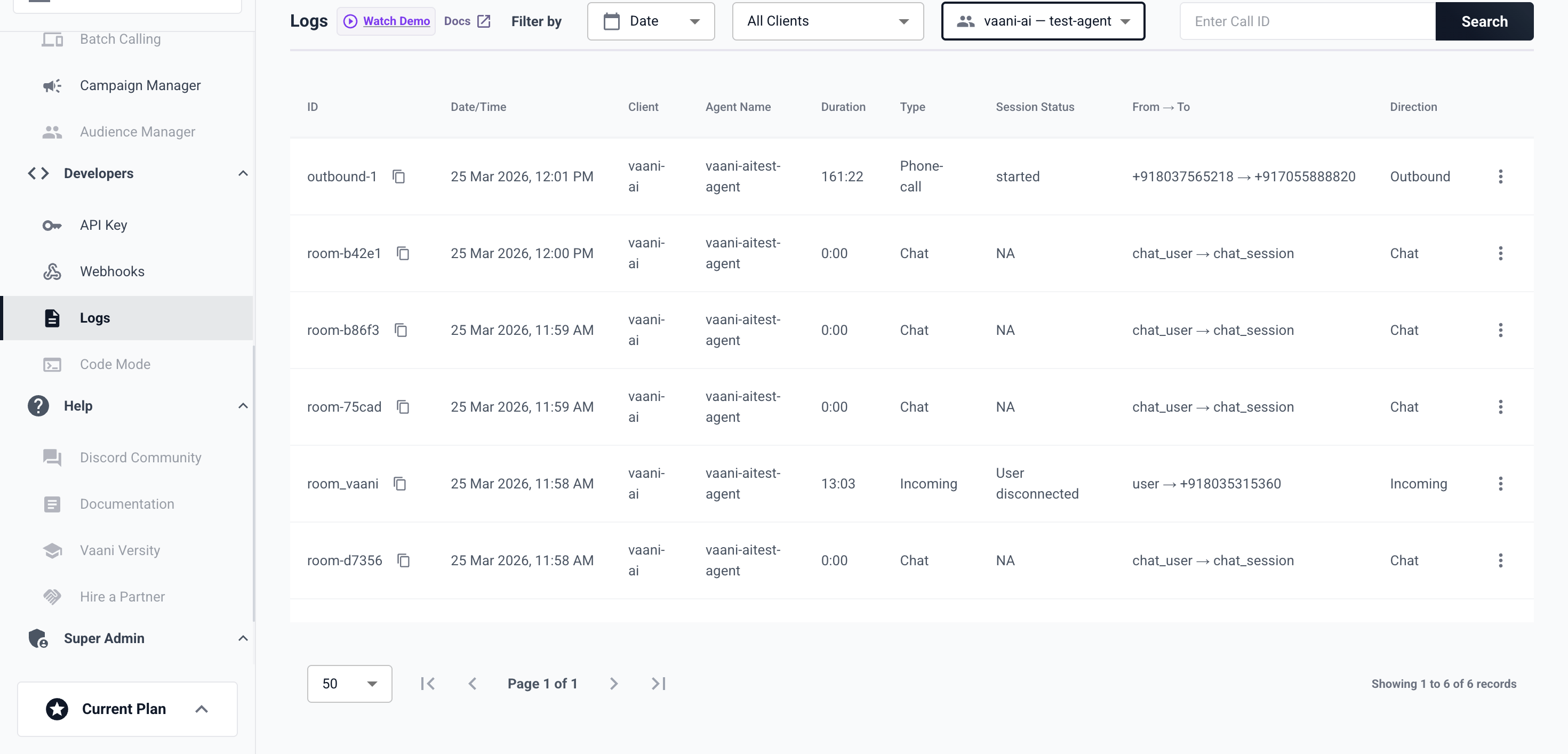 You can filter by date range, agent, status, and contact number.
 ## Accessing Call History via API
```bash cURL theme={null}
curl -H "X-API-Key: YOUR_API_KEY" \
"https://api.vaanivoice.ai/api/call-history?page=1&page_size=50"
```
```python Python theme={null}
import os, requests
response = requests.get(
"https://api.vaanivoice.ai/api/call-history",
headers={"X-API-Key": os.getenv("VAANI_API_KEY")},
params={"page": 1, "page_size": 50}
)
print(response.json())
```
## Fetching a Transcript
```python theme={null}
import os, requests
response = requests.get(
f"https://api.vaanivoice.ai/api/transcript/{call_id}",
headers={"X-API-Key": os.getenv("VAANI_API_KEY")}
)
print(response.json())
```
## Downloading Audio
```python theme={null}
import os, requests
response = requests.get(
f"https://api.vaanivoice.ai/api/stream/{call_id}",
headers={"X-API-Key": os.getenv("VAANI_API_KEY")},
stream=True
)
with open("call_audio.wav", "wb") as f:
for chunk in response.iter_content(chunk_size=8192):
f.write(chunk)
```
Audio files are stored in Azure Blob Storage and streamed on demand.
## Accessing Call History via API
```bash cURL theme={null}
curl -H "X-API-Key: YOUR_API_KEY" \
"https://api.vaanivoice.ai/api/call-history?page=1&page_size=50"
```
```python Python theme={null}
import os, requests
response = requests.get(
"https://api.vaanivoice.ai/api/call-history",
headers={"X-API-Key": os.getenv("VAANI_API_KEY")},
params={"page": 1, "page_size": 50}
)
print(response.json())
```
## Fetching a Transcript
```python theme={null}
import os, requests
response = requests.get(
f"https://api.vaanivoice.ai/api/transcript/{call_id}",
headers={"X-API-Key": os.getenv("VAANI_API_KEY")}
)
print(response.json())
```
## Downloading Audio
```python theme={null}
import os, requests
response = requests.get(
f"https://api.vaanivoice.ai/api/stream/{call_id}",
headers={"X-API-Key": os.getenv("VAANI_API_KEY")},
stream=True
)
with open("call_audio.wav", "wb") as f:
for chunk in response.iter_content(chunk_size=8192):
f.write(chunk)
```
Audio files are stored in Azure Blob Storage and streamed on demand.