

Before you start: You need a configured agent. If you haven’t created one yet, head to Create an Agent first.
How Telephony Works in Vaani
When your agent makes a call, the recipient sees a phone number on their caller ID — just like a normal phone call. Vaani handles all the voice infrastructure behind the scenes (WebRTC, media servers, call routing). Your job is simply to connect a phone number. A few things to know:- Each agent needs at least one phone number assigned to it
- You can assign different numbers to different agents, or share one number across multiple agents
- You can override the caller ID on a per-call basis through the API
Choose Your Setup Method
There are two ways to connect a phone number. Pick the one that fits your situation:- Direct Provisioning (Recommended)
- Bring Your Own SIP Trunk
The simplest option — Vaani provisions a phone number for you directly. No external telephony provider needed.Best for: getting started quickly, teams without existing phone infrastructure, testing.
1
Go to Telephony Settings
In the dashboard, navigate to Settings → Telephony.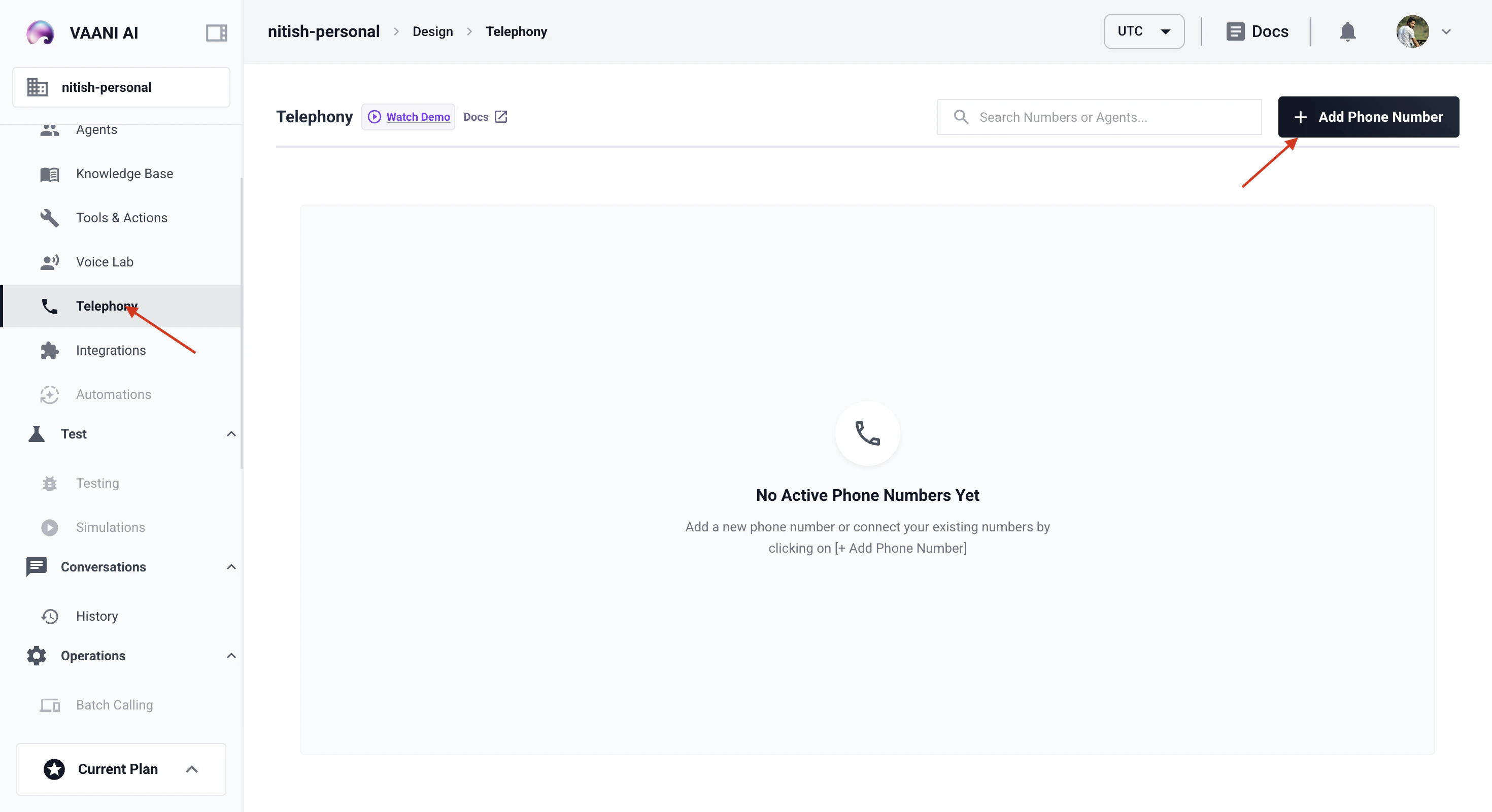
2
Provision a Number
Click Provision a Number. Select your country and preferred area code. Vaani will assign an available number to your account.
3
Assign to Your Agent
Link the provisioned number to the agent you created. This number becomes the default caller ID for that agent’s outbound calls.
Phone Number Formats
All phone numbers in Vaani must use E.164 format — the international standard for phone numbers:Overriding the Default Number Per Call
By default, every call uses the phone number assigned to the agent. But you can override this on a per-call basis by passingoutbound_number in the API request:
The
outbound_number must be a number that’s configured in your telephony settings. You can’t use an arbitrary number. For a quick refresher on all the identifiers you’ll encounter, see the identifier reference table.Troubleshooting
My calls aren't going through
My calls aren't going through
Check three things: (1) the phone number is assigned to your agent in the Telephony settings, (2) the
contact_number in your API request is in E.164 format, and (3) the number you provisioned or connected is active and not suspended.The recipient sees 'Unknown' or a wrong caller ID
The recipient sees 'Unknown' or a wrong caller ID
This usually means the outbound number isn’t properly configured in your telephony settings. If you’re using a SIP trunk, check that your provider has caller ID enabled and that the number is verified with them.
What is a SIP trunk?
What is a SIP trunk?
A SIP trunk is a virtual phone line that connects software (like Vaani) to the public phone network through an external provider. Think of it as a bridge between the internet and traditional phone calls. Providers like Twilio, Telnyx, and Vonage offer SIP trunking services. If you don’t already have one, use Vaani’s direct provisioning instead — it’s simpler.
Which countries and regions are supported?
Which countries and regions are supported?
Vaani supports phone numbers in a growing list of countries. For the most current list of supported regions, check the Telephony settings page in your dashboard or contact support.
Next Step
Generate an API Key
Create your API key to authenticate calls to the Vaani API