

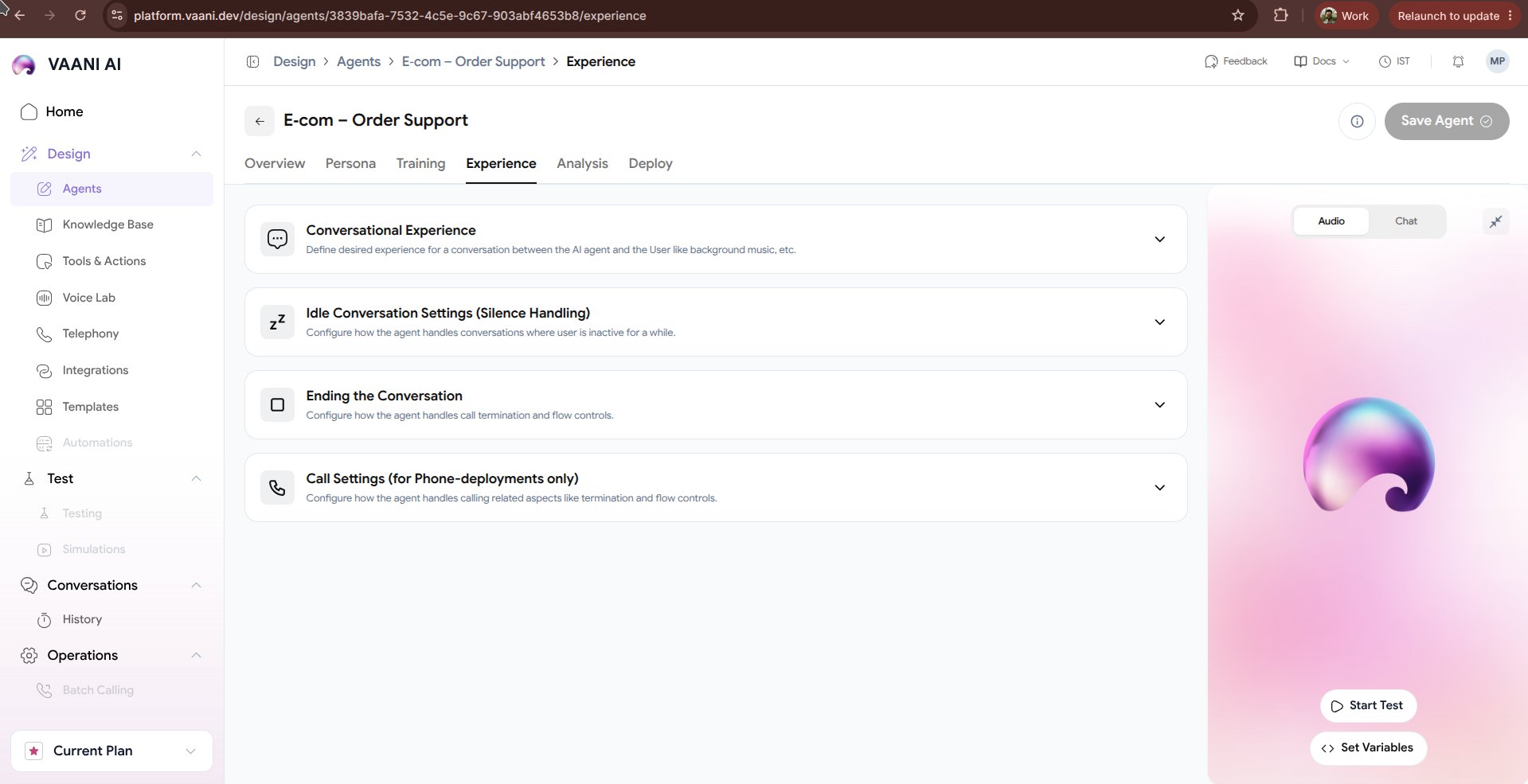
Video Walkthrough
1. Ambient Background Sound
Pure digital silence during telephone calls can feel eerie and cause callers to ask, “Hello, are you still there?”. Injecting realistic ambient background sound creates the authentic feel of a real office or human specialist.Office Ambience
Subtle keyboard clicks and distant office murmur. Ideal for B2B support and agency receptionists.
Call Center Murmur
Gentle background chatter typical of high-volume customer care desks.
Studio / Quiet
Near-zero background noise with natural analog room tone for high-clarity professional consulting.
Volume Control: Keep ambient audio subtle (10% - 20% volume) so it enriches the atmosphere without drowning out speech.
2. Turn-Taking & Conversational Delays
Human conversations rely on subtle pacing cues. Tuning delay settings helps eliminate overlapping speech:3. Interruption Handling (Barge-in)
Real callers naturally interrupt when they hear what they need or want to correct a detail.- Interruption Sensitivity:
High (0.8 - 1.0): Agent cuts off speech immediately at the slightest human syllable.Balanced (0.5 - 0.7): Recommended. Cuts off when genuine words are spoken, while ignoring brief background coughs or transient noises.Low (0.2 - 0.4): Agent finishes its sentence before yielding the floor.
- Backchanneling: Allows the agent to emit subtle conversational affirmations (“Mhm”, “I see”, “Understood”) while the user is speaking long sentences.
4. Call Duration & Safety Guardrails
- Maximum Call Duration: Protect your telephony budget by placing an upper ceiling on single call lengths (e.g.
10 minutesfor intake,30 minutesfor support). - Answering Machine Detection (AMD): Automatically detect voicemail beeps and either hang up or deliver a customized prerecorded voicemail message.
Next Steps
Analysis & Evaluation
Configure automated post-call summaries, sentiment analysis, and structured CRM extraction
Deploy Your Agent
Connect phone numbers, embed the web call widget, or trigger calls via API