

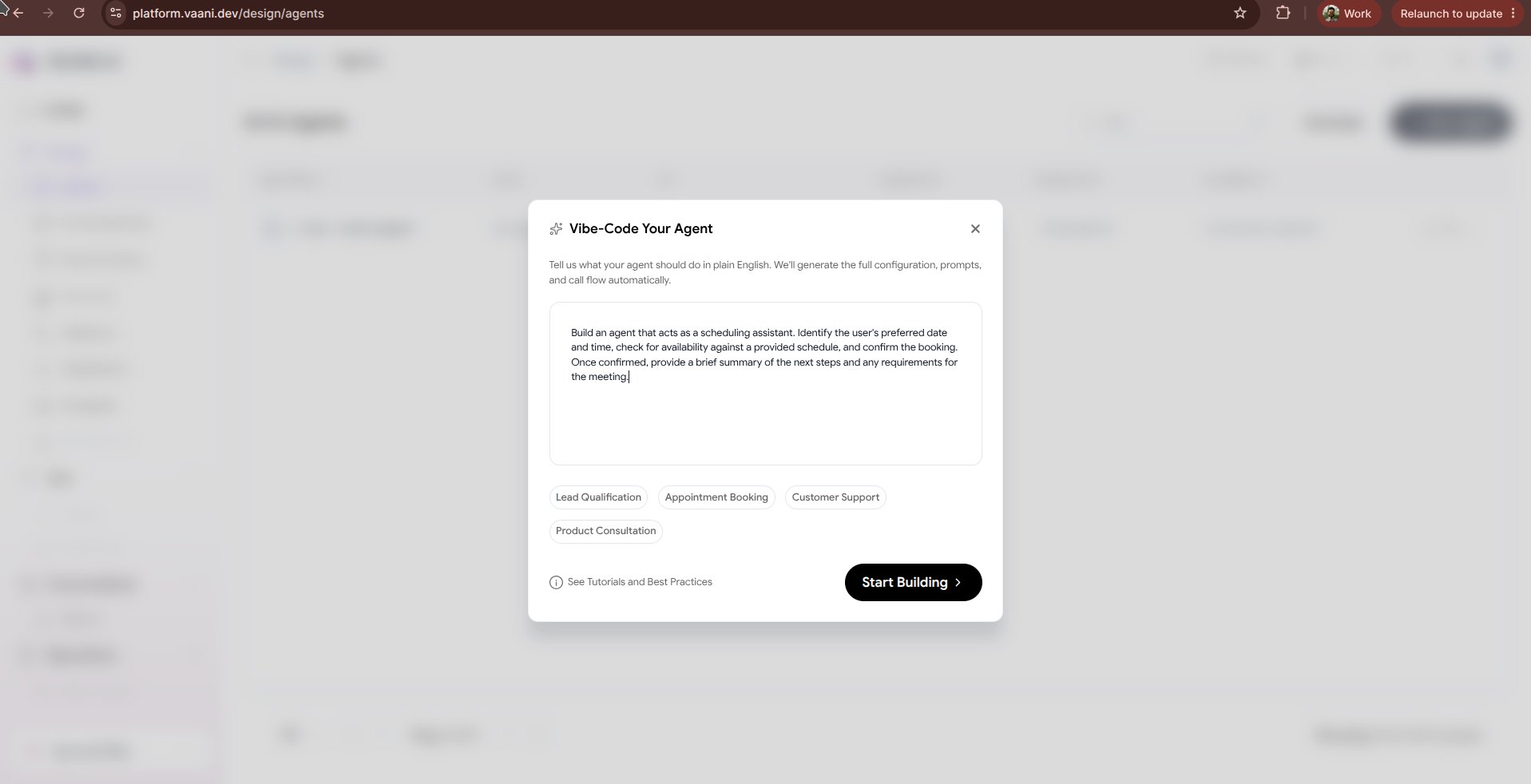
Why Vibe-Code?
Zero to Live in 30 Seconds
Describe a scenario and get a ready-to-call voice agent instantly without writing boilerplate rules.
AI-Optimized Prompts
Vaani applies speech-specific prompt engineering best practices (latency cues, interruption handling, conversational pauses).
Iterative Refinement
Chat back and forth with the AI architect to refine tone, add constraints, or introduce external API tools.
How to Vibe-Code Your Agent
1
Select 'Vibe-Code Your Agent'
Click + New Agent in the dashboard and choose Vibe-Code Your Agent.
2
Describe Your Agent in Plain English
Enter a prompt detailing your business, target audience, and the tasks the voice agent should handle.
Example Prompt: “Create an inbound customer support agent for ‘Zippy Logistics’. The agent should speak in English and Hindi, answer delivery status questions, ask for the 8-digit tracking number, apologize warmly if a package is delayed, and offer to create an escalation ticket with our team.”
3
Review the Generated Agent Architecture
Vaani’s engine immediately generates:
- System Prompt: A production-ready markdown prompt with role definitions, boundary constraints, and fallback dialog.
- Greeting Message: A conversational, welcoming opening script.
- Language Pipeline: Auto-selected STT (Deepgram Nova-2), Brain (LLM), and TTS voice (e.g., Sarvam Ritu for Hindi/English).
- Dynamic Metadata Variables: Placeholders such as
{tracking_number}and{customer_name}.
4
Refine through Conversational Feedback
Use the prompt chat interface to iterate on the fly:
- “Make the greeting sound more energetic and welcoming.”
- “Add a rule to never disclose internal warehouse hub addresses.”
- “Switch the voice to a calm, professional male tone.”
5
Test and Deploy
Click the in-browser Test Audio button to have a test conversation with your synthesized agent. Once satisfied, click Save Agent to get your
agent_id.Tips for Great Vibe-Coding Prompts
To get the most accurate and high-performing agent from the generator, include these four elements in your description:Next Steps
Configure Agent Experience
Fine-tune interruption sensitivity, ambient sound, and conversational delays
Connect Knowledge Base
Upload FAQ documents and product manuals for your vibe-coded agent to reference