

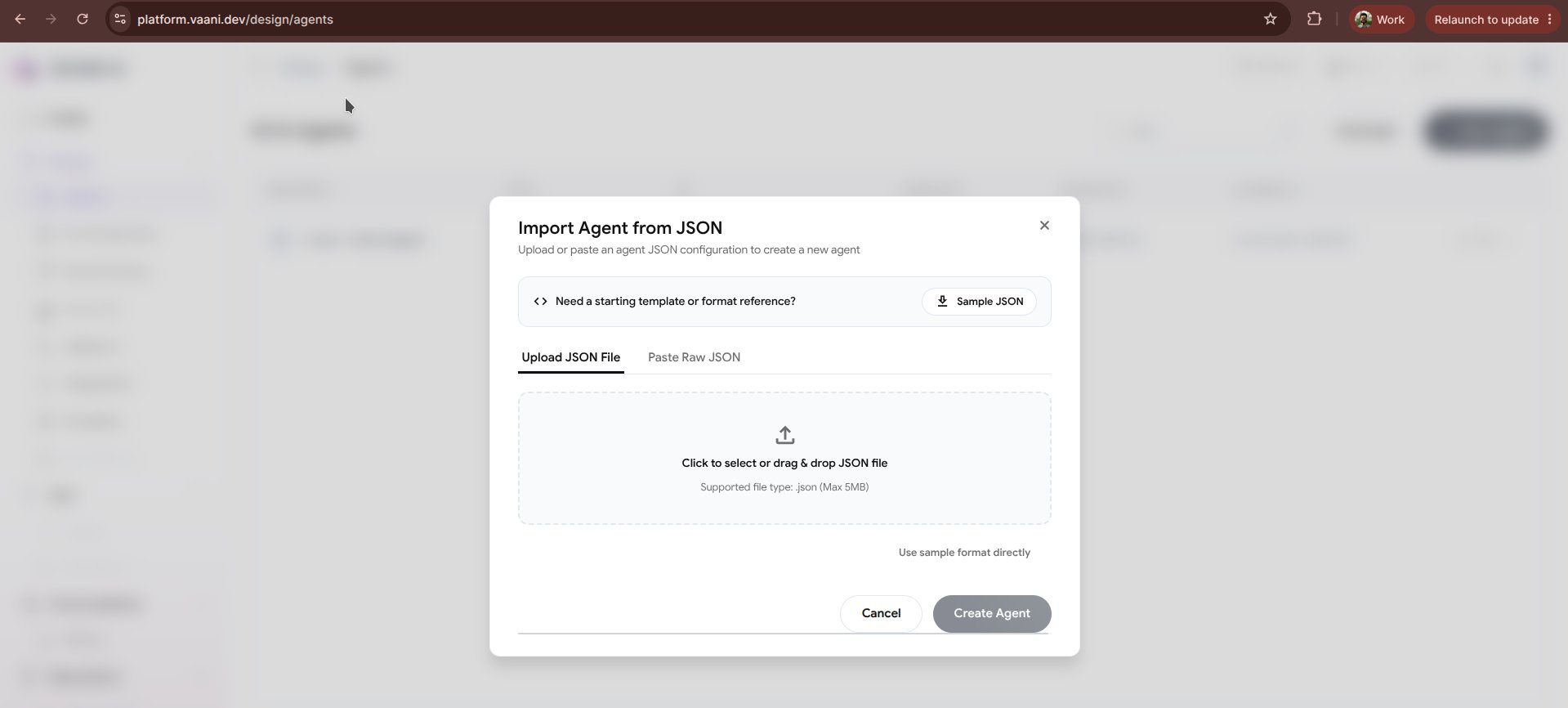
How to Import an Agent from JSON
1
Select 'Import from JSON'
In the Vaani Dashboard, click + New Agent and select Import from JSON.
2
Upload or Paste JSON Configuration
You can either drag and drop a
.json configuration file or paste your JSON payload directly into the built-in syntax-highlighting code editor.3
Validation and Linting
Vaani automatically validates the schema in real-time, verifying required keys, provider compatibility, and variable formatting.
4
Create Agent
Click Import Agent. Vaani instantiates the agent, sets up the pipeline, and generates a new
agent_id.Agent JSON Schema Specification
Below is the standard JSON specification for an agent in Vaani:Exporting Existing Agents to JSON
You can also export any existing agent back to JSON at any time:- Open your agent in the Vaani Dashboard.
- Go to the Overview tab.
- Click the three dots menu
...in the upper right corner and select Export JSON. - Save the file directly to your code repository.
Next Steps
Agent API Reference
Create and update agents programmatically using the REST API
Configuring Your Agent
Explore the 6 core configuration pillars of your imported agent