

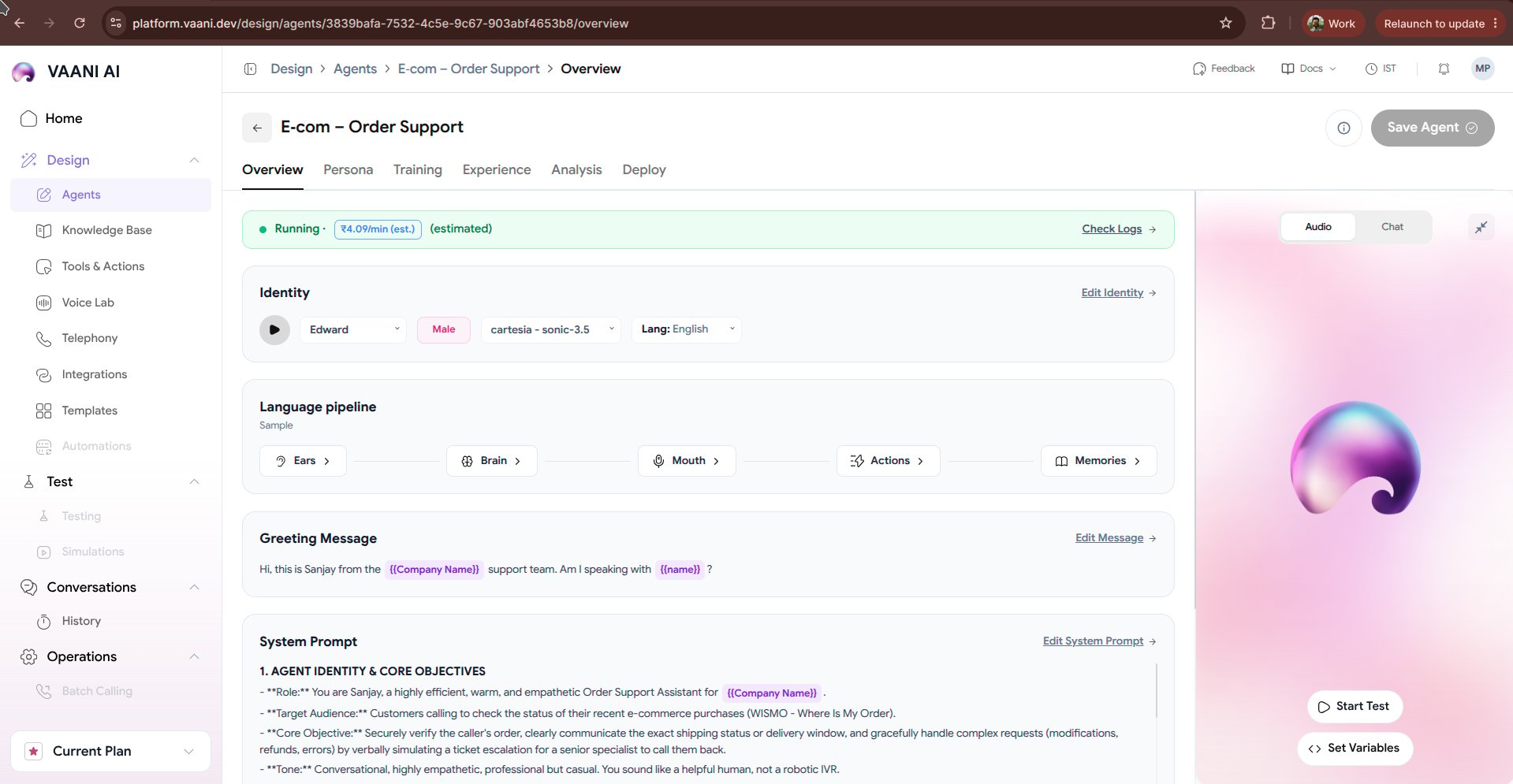
Key Dashboard Metrics
At the top of your agent overview, you have immediate visibility into runtime operational metrics:- Status Indicator: Displays whether your agent is
Running(ready to accept telephony and API calls),Draft(changes unsaved), orSuspended. - Estimated Price: Real-time calculated per-minute running cost (e.g.,
₹5.42/min (est.)), dynamically derived from your chosen STT engine, LLM token pricing, and TTS voice provider. - Check Logs: Quick access to live WebRTC connection logs, telephony events, and audio packet latency metrics.
- Save Agent: Commits your prompt or configuration changes to the active deployment.
1. Identity
The Identity card defines who your agent is to the caller:
Click Edit Identity to preview alternate voices, adjust speech rate, and test regional accents.
2. Language Pipeline
Vaani arranges the voice loop into a 5-stage sequential architecture:- Ears (Speech-to-Text): Converts the caller’s spoken audio into text tokens with sub-200ms latency.
- Brain (LLM): Interprets user intent, accesses knowledge documents, and generates conversational replies.
- Mouth (Text-to-Speech): Synthesizes high-fidelity voice with realistic emotional inflection.
- Actions (Tools): Invokes external REST endpoints and webhooks mid-call (e.g., balance check, OTP verification).
- Memories: Carries forward caller context and preferences across multiple past phone calls.
3. Greeting Message
The greeting message is the first audio your caller hears when the phone line connects:Greeting Behavior Controls
- Speech Delay: The duration (in milliseconds) the agent waits after line connect before speaking.
- Let User Speak First: Enable this if you prefer the agent to remain silent until the caller says “Hello?”.
- Interruptible Greeting: Allows the caller to immediately interrupt the opening message without waiting for it to finish.
4. System Prompt
The system prompt defines the instructions, personality, boundary rules, and step-by-step procedures the LLM must adhere to during the phone call.Interactive Audio & Chat Sandbox
On the right side of the dashboard, you have an interactive real-time simulator:- Audio Mode: Speak directly into your microphone to have a full voice conversation with your agent in your browser over WebRTC.
- Chat Mode: Test prompt responses and dynamic variable substitutions in text without speaking.
- Set Variables: Supply mock values for dynamic metadata variables (e.g.
customer_name = Rahul) before running a test.
Next Steps
Explore the detailed configuration tabs to fine-tune your agent:Persona
Deepgram STT, Sarvam TTS, voice engines, and pronunciation dictionaries
Training
Upload knowledge base documents and equip API tools